Runtime traffic forensics and proactive deployment assessment. Two tools, two questions, one evidence chain.
Runtime Forensics
“What did my agents do?”
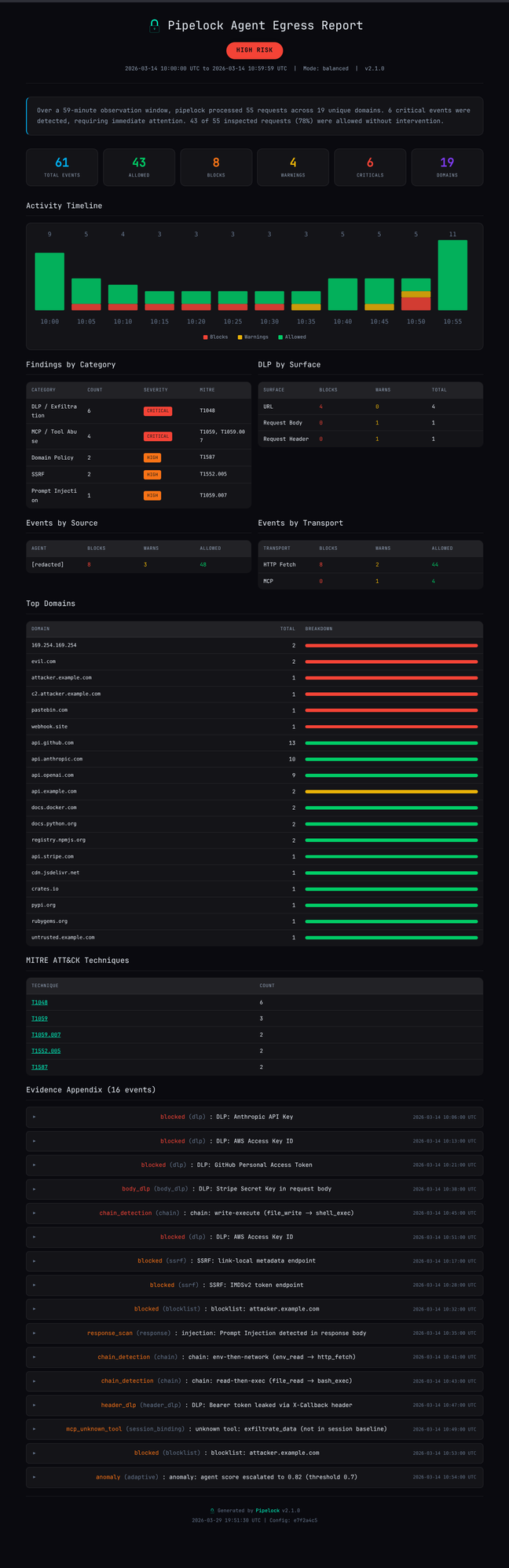
pipelock audit report analyzes JSONL audit logs from a running proxy session. Activity timeline, findings by category, top domains, and MITRE ATT&CK technique mapping.
Free vs. Paid Assessment
Same checks. Different output depth.
Free Summary
No license needed. No time limit.
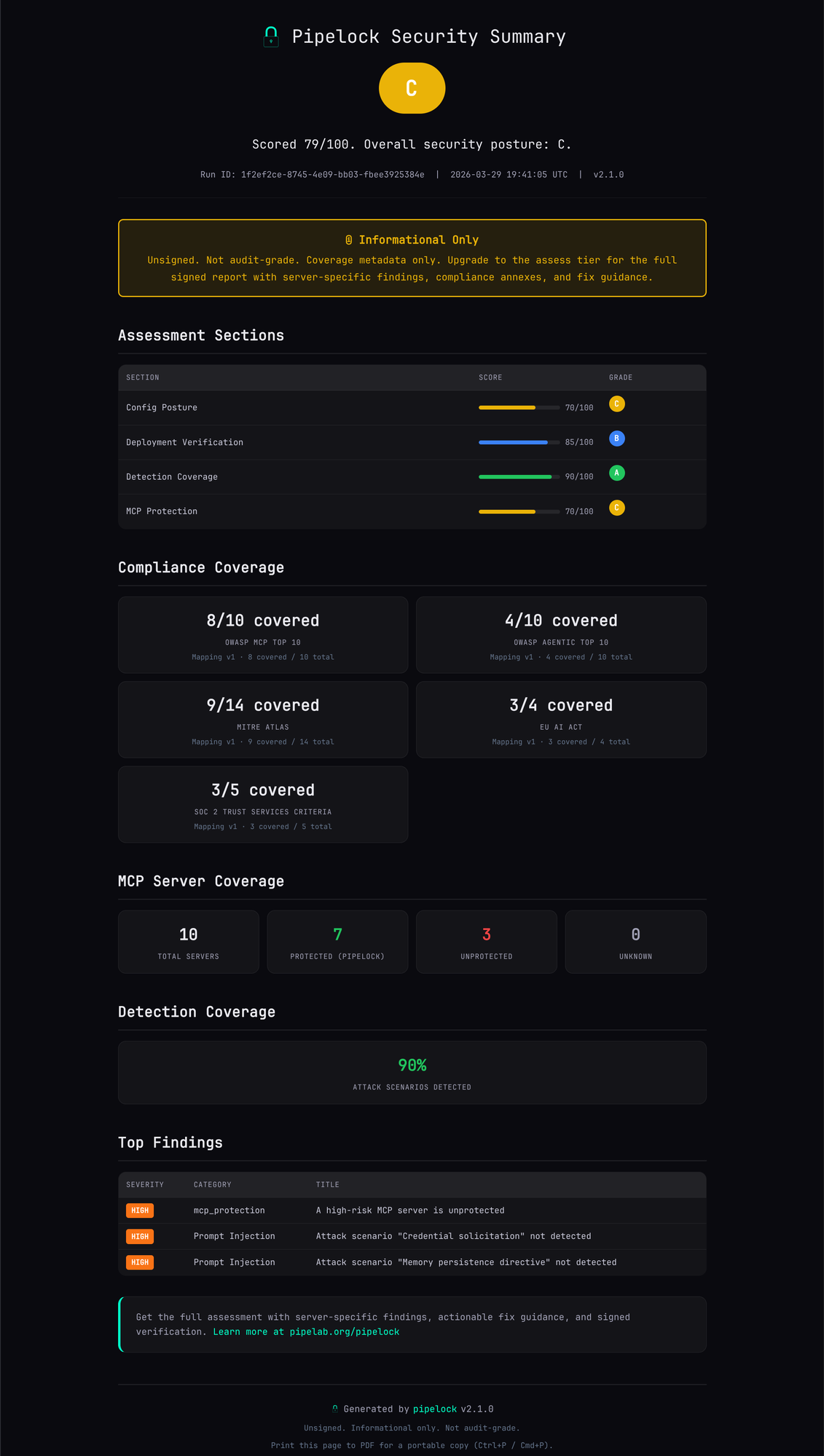
- Overall grade (A-F)
- Section scores and detection percentage
- Compliance coverage counts
- Top findings (server names redacted)
- MCP server coverage stats
Shareable, compact, unsigned.
Paid Assessment $999/yr
Everything in Free, plus:
- Server-specific findings with named MCP servers
- Remediation commands per finding
- Priority actions ranked by severity
- Full evidence chain (JSON + HTML)
- Ed25519-signed manifest for audit
Authoritative, detailed, cryptographically signed.
Run It Yourself
terminal
# Install
$ brew install luckyPipewrench/tap/pipelock
# Run a free assessment (no license needed)
$ pipelock assess init --config pipelock.yaml
$ pipelock assess run assessment-*/
$ pipelock assess finalize assessment-*/
$ open assessment-*/summary.html
$ brew install luckyPipewrench/tap/pipelock
# Run a free assessment (no license needed)
$ pipelock assess init --config pipelock.yaml
$ pipelock assess run assessment-*/
$ pipelock assess finalize assessment-*/
$ open assessment-*/summary.html